Thinking
January 23, 2026
Read time:
3 Minutes

Most ecommerce brands treat Google Shopping like a "set and forget" platform. They dump their entire catalog into Performance Max and hope for the best. That's exactly why growth stalls.
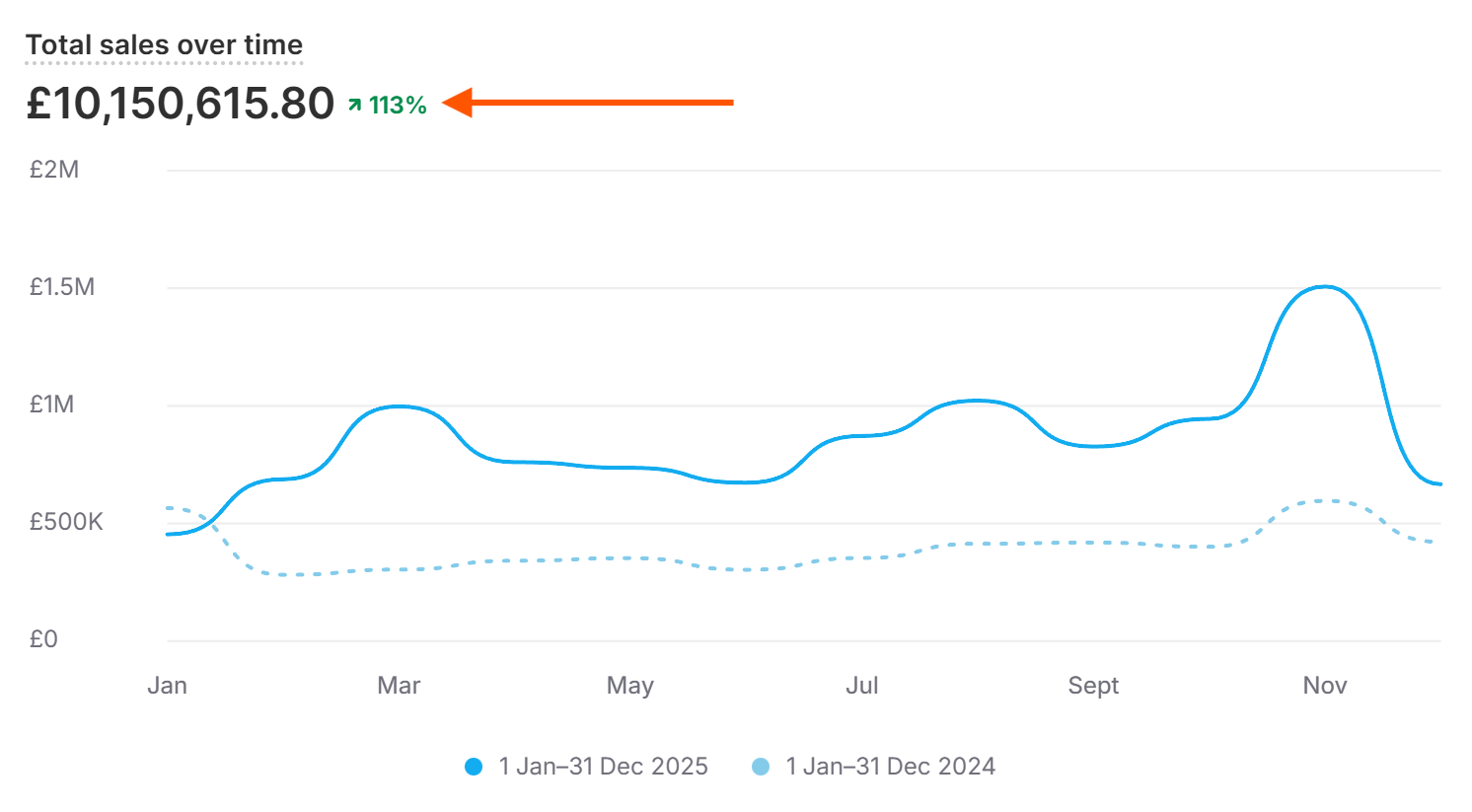
In this video, I break down the three strategies we use at Public Nectar to dominate Google Shopping - the same approach that took one brand from £700k to over £3M+ per month.
1. Switch to a Third-Party CSS Provider
If you're still using Google's default comparison shopping service, you could be handing over up to 20% of your bids as a handling fee.
That means if you bid £1, only 80p actually goes toward the auction.
Switch to a third-party provider like Product Hero, and 100% of your bid goes to work. Or keep bidding £1 and start outranking competitors who are still paying the Google tax.
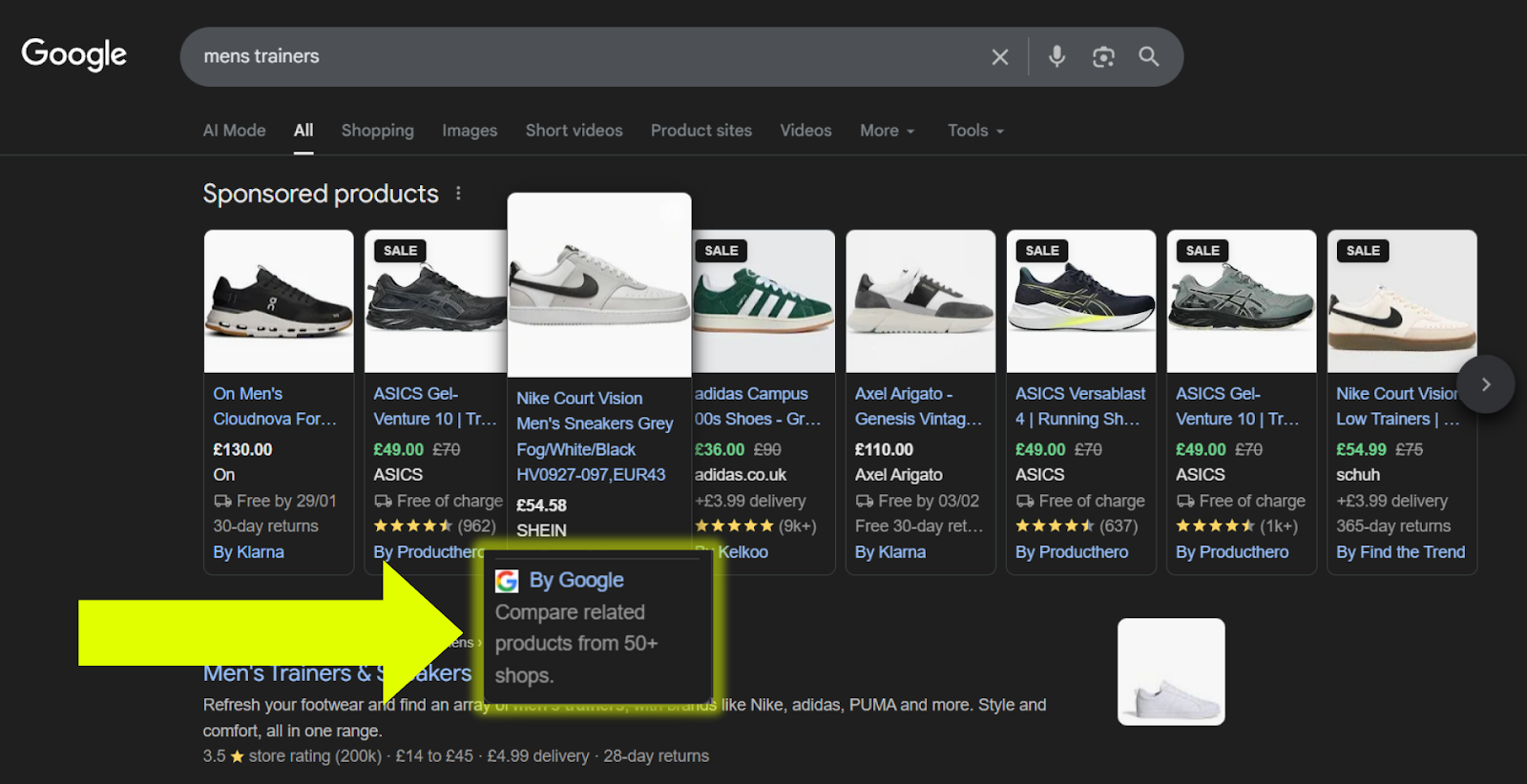
Quick check - Search any product on Google. Look at the bottom of the shopping carousel. If it says "by Google," you're losing money.
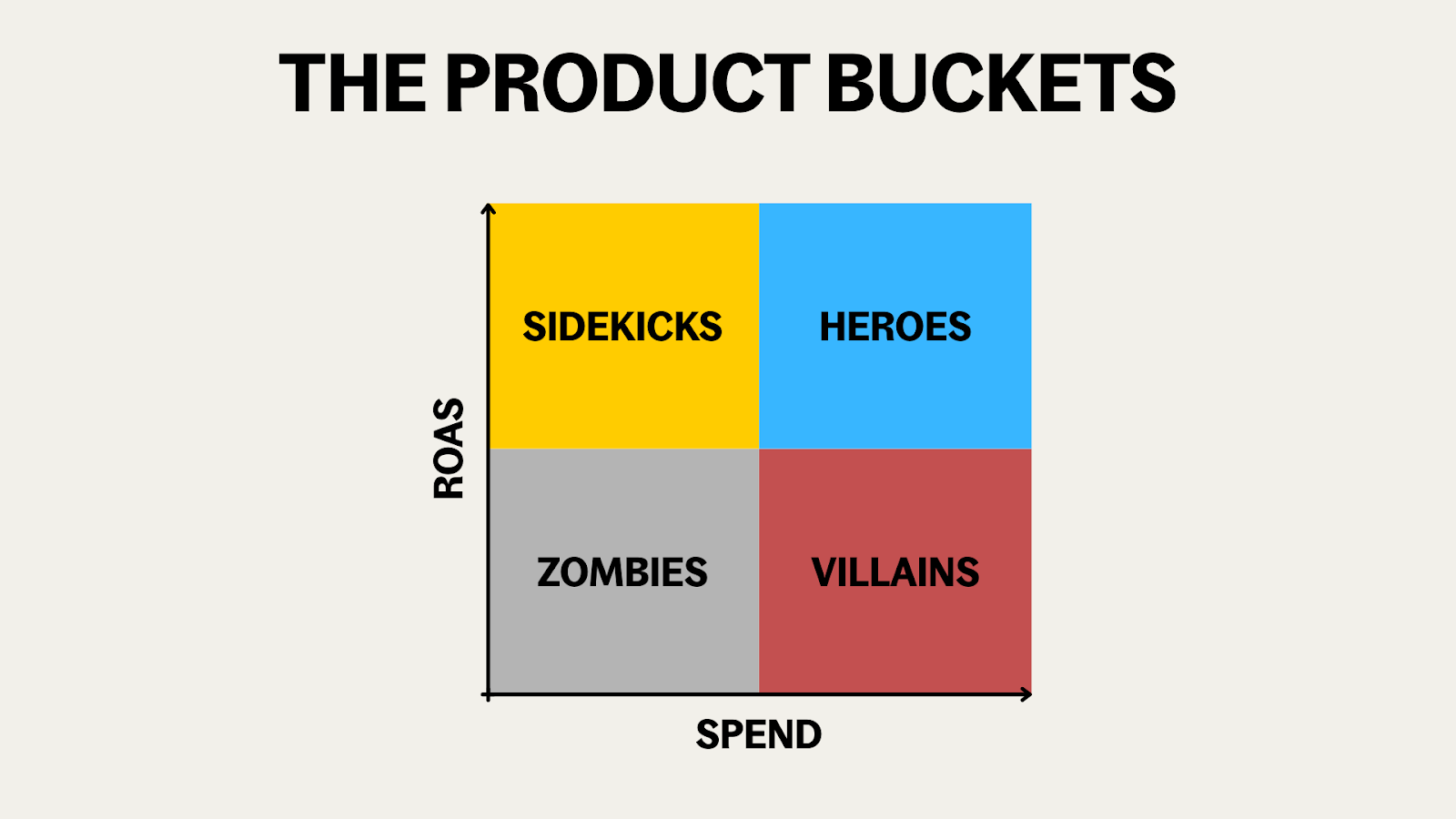
2. Implement the Heroes, Villains & Zombies Structure
Google will happily spend your budget on products that don't convert. Without intervention, your worst performers often eat the most spend.
One account we audited had villains (low ROAS, high spend) taking 27.5% of budget while heroes (high ROAS, high revenue) only got 16% - despite heroes driving 51% of total revenue.
The fix is to segment products into separate campaigns:
- Heroes - High ROAS, high spend. Give them aggressive targets so they get more budget.
- Villains - Low ROAS, high spend. Set stricter targets to throttle wasted spend.
- Zombies - No spend yet. Run a catch-all campaign to surface potential winners.
- Sidekicks - High ROAS, low spend. Consolidate into your heroes campaign.
After restructuring, that same account flipped to heroes at 33% of spend and villains at just 13% - with revenue climbing significantly.
3. Duplicate Your Hero Products with Title Variants
Your winning products might only rank for a handful of search terms because of limited keywords in the title.
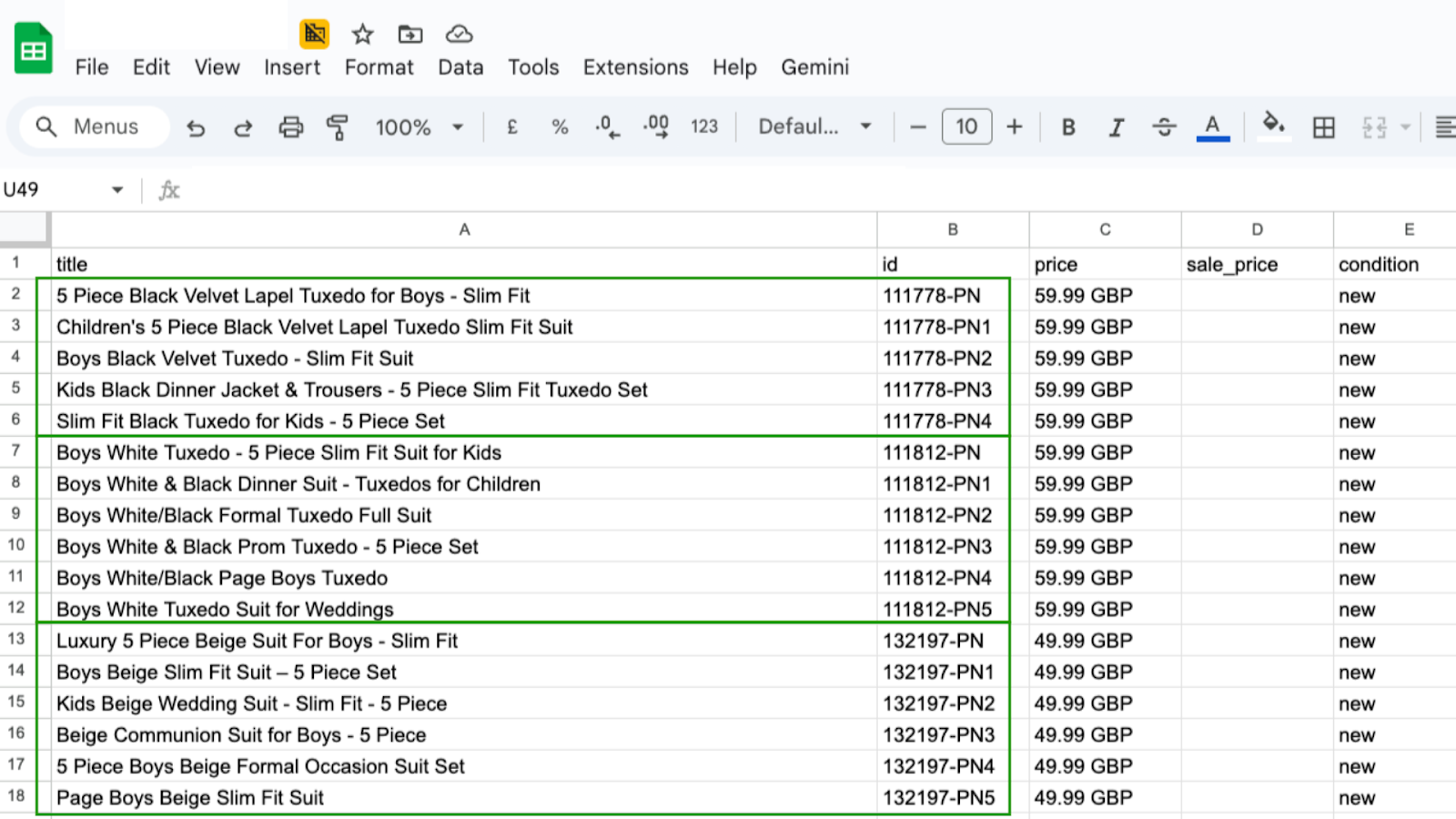
Cramming in more keywords can hurt performance. The workaround: duplicate hero products into a separate feed with different title variations.
Same product, different titles targeting different searches.
Example: "Five Piece Black Velvet Lapel Tuxedo for Boys" becomes a second listing with "Children's Black Formal Tuxedo."
One campaign running this generated an extra £16k in incremental revenue from a small spend - sales that wouldn't have happened otherwise.
The Bottom Line
- Third-party CSS - Stop giving Google up to 20% of your bids for nothing.
- Product segmentation - Control where your spend goes instead of letting Google burn it on villains.
- Feed duplication - Expand your heroes' reach with title variants.
We're rolling this out across 90%+ of our accounts with brands doubling if not tripling their MRR as a result.